Make App Store screenshots that actually convert.
Open the editor and you're in — no signup, no install, no card. Build the full carousel for free in your browser. The €19.99/mo Standard tier kicks in only when you need the actual output files at App Store Connect dimensions.
Four things in one editor.
Device frames, multi-panel carousels, direct screenshot transfer from your phone, plus batch translation with Standard.
9 device frames
iPhone 16 Pro Max, 16 Pro, 16 Plus, 16, iPad Pro 13" and 11", Pixel 10 Pro, Galaxy S25 Ultra, Galaxy Tab S9 Ultra. Real bezels, real Dynamic Islands, real screen aspect — body ratios from real mm dimensions.
Multi-panel carousels
Build the full carousel — up to 10 panels (App Store max) — with shared gradients, spanning layers, and per-panel overrides. Drag any element to span all panels at once.
Every App Store language STANDARD
One click translates every caption into all 39 localizations Apple supports. Live language switcher in the header so you can review each locale before exporting. Translation is a Standard feature; previewing locales is free.
Phone-to-desktop pairing
QR-pair your phone and drop screenshots straight into the editor over WebRTC. No cable, no AirDrop, no email-to-self. Browser-to-browser.
Let AI design the whole set.
The AI plan adds an AI Studio built around an AI Designer. It reads your raw screenshots, finds the benefits that sell, reviews each shot, and lays out a complete, conversion-optimized carousel — headlines, device, highlighted elements and on-brand decorations — all still fully editable.
AI Designer
Claude reads your screenshots (and optionally your codebase) and designs a whole conversion-optimized set — benefit headlines, a Great/Usable/Retake review of each shot, screenshot pairings and a brand colour.
AI image studio
Generate backgrounds and design elements, remove backgrounds, restyle and recolor — all on a transparent, editable layer.
Editable, never baked
Everything the AI makes lands as real, editable layers — so you can still translate to 39 languages and switch devices afterwards.
8 starting points, fully visible.
Every template is a real 6–8 panel carousel — gradients, captions, device positions all wired up. Scroll the rail to scan them, open one in the editor, or see every template in detail.
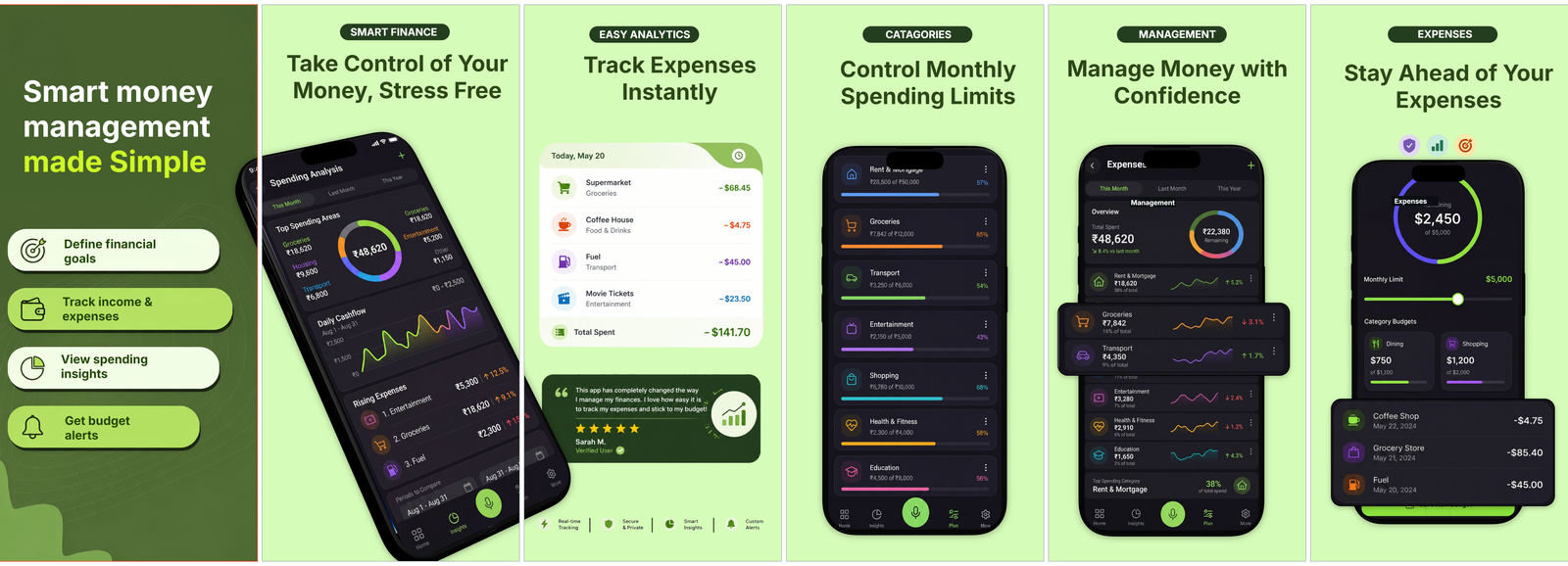
Money Tracker
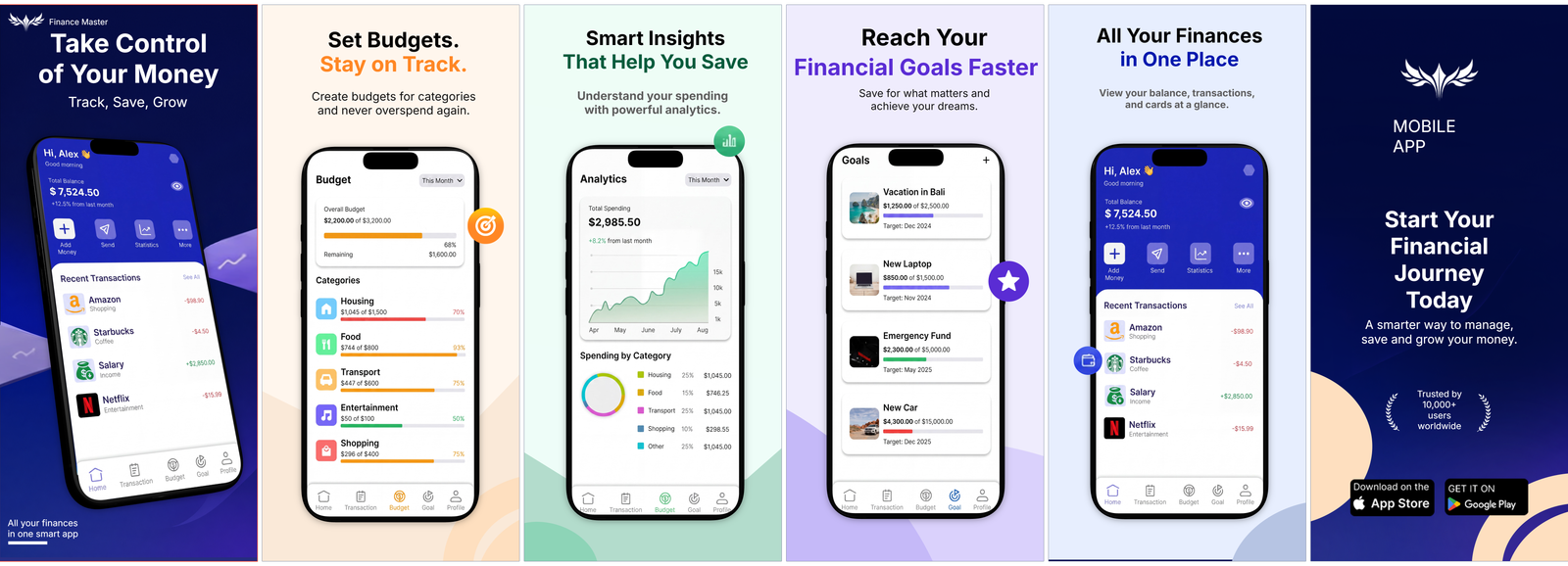
Finance Pro
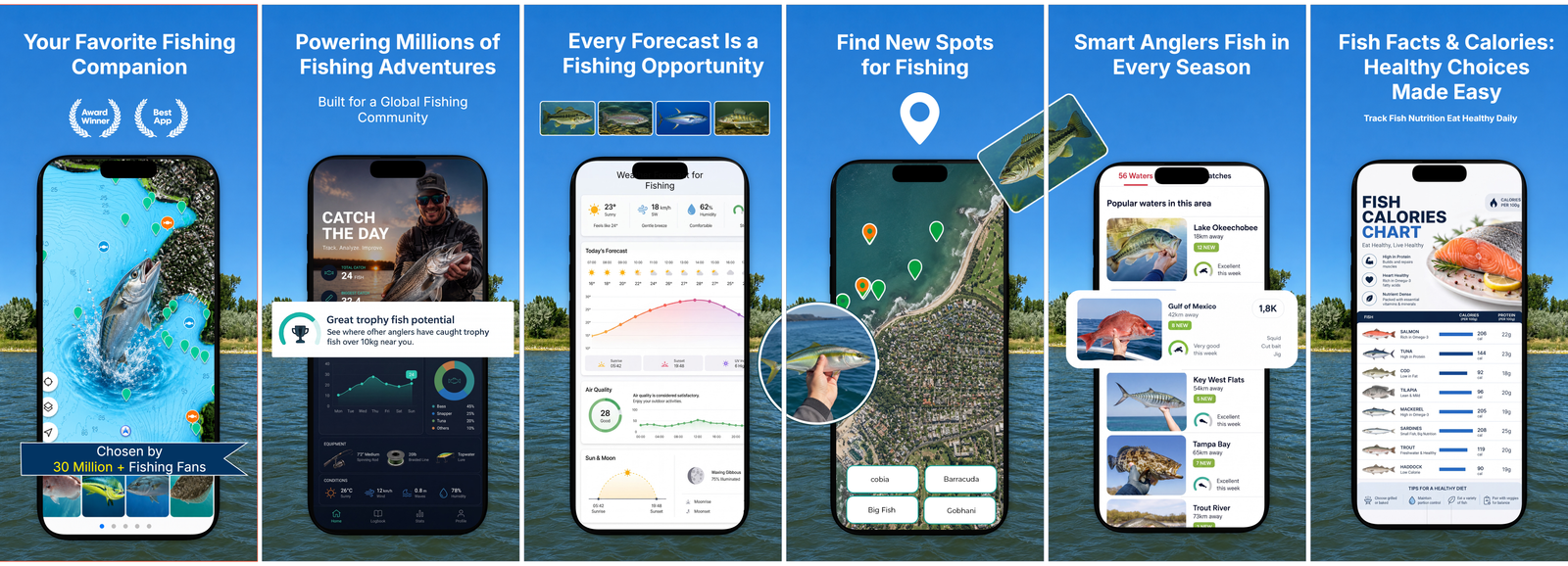
Fish Theme
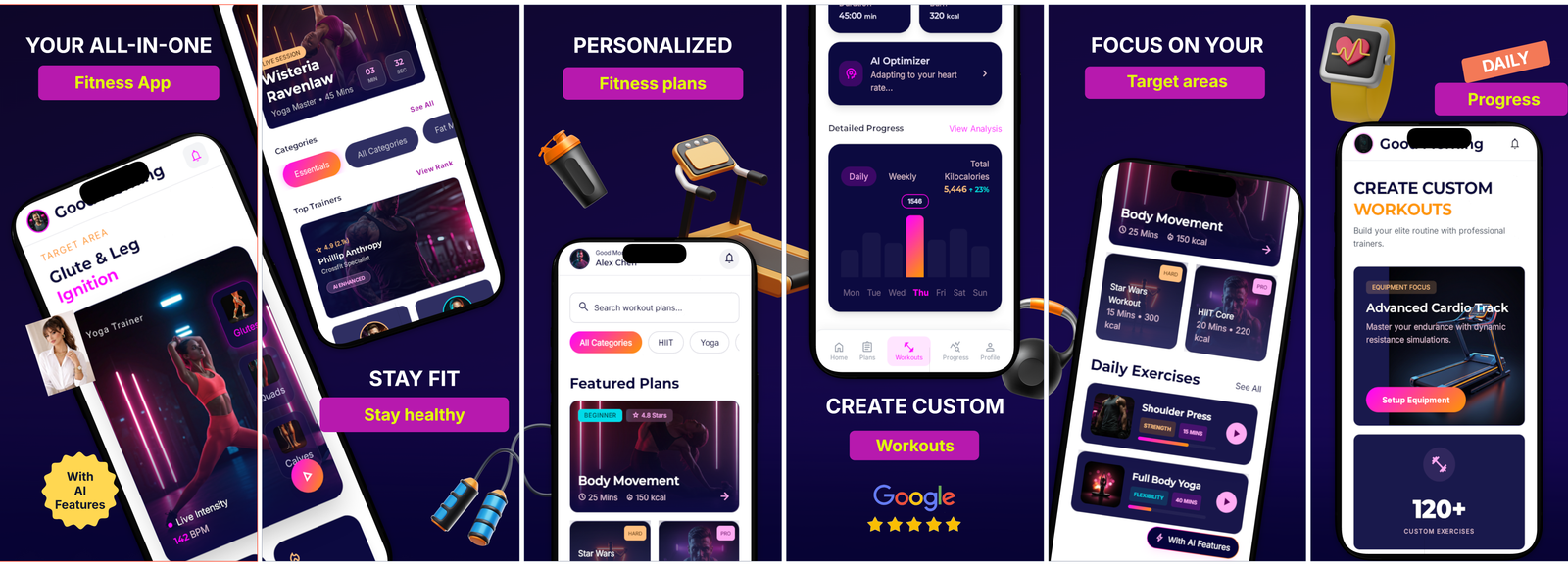
Fitness Studio
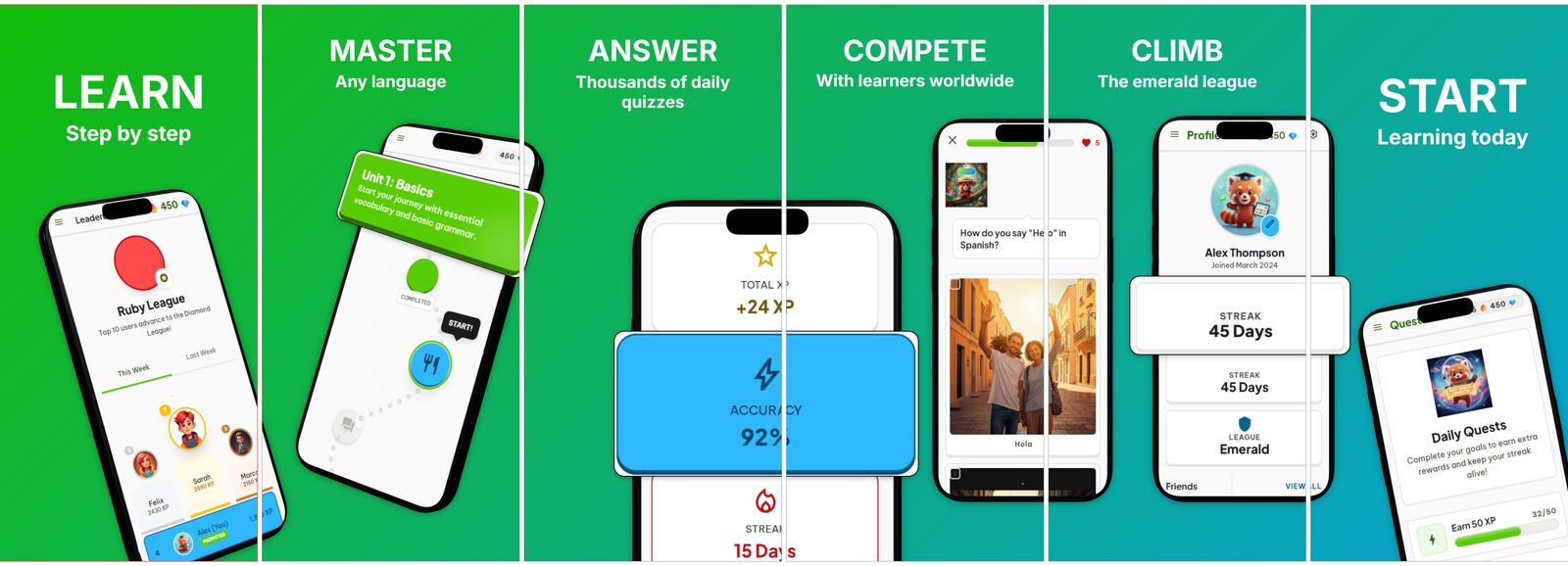
Language Learning
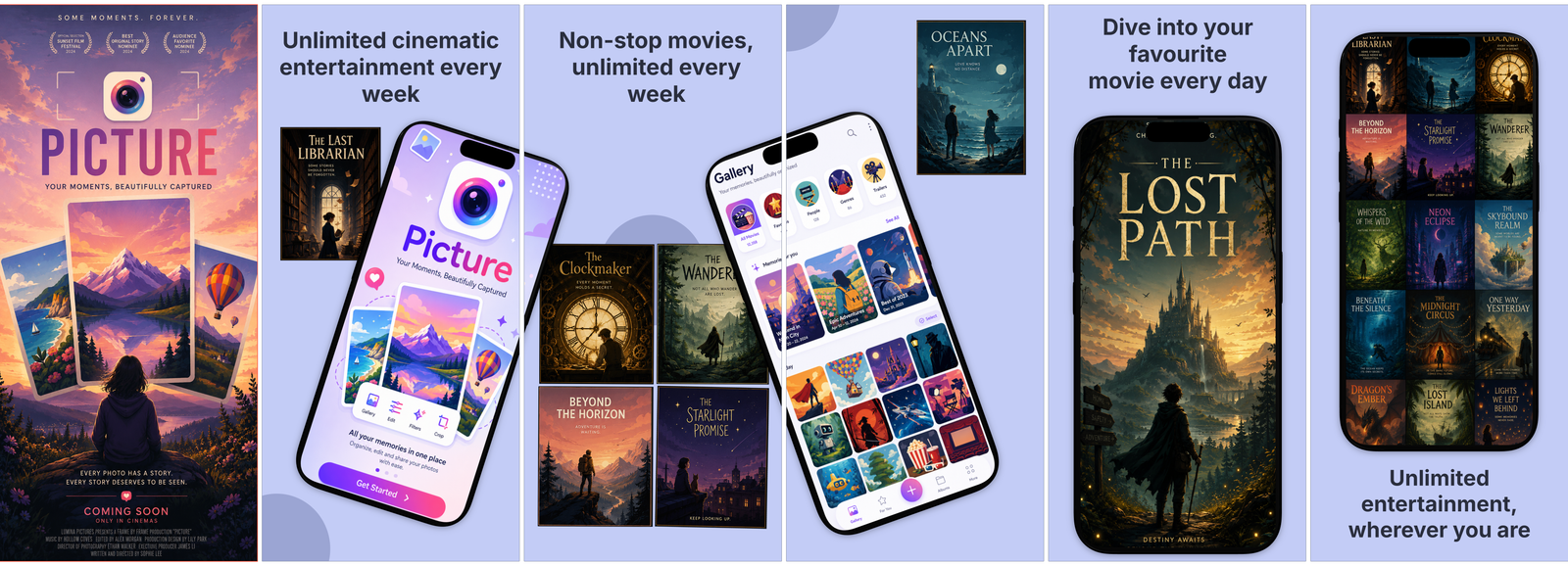
Movie Streaming
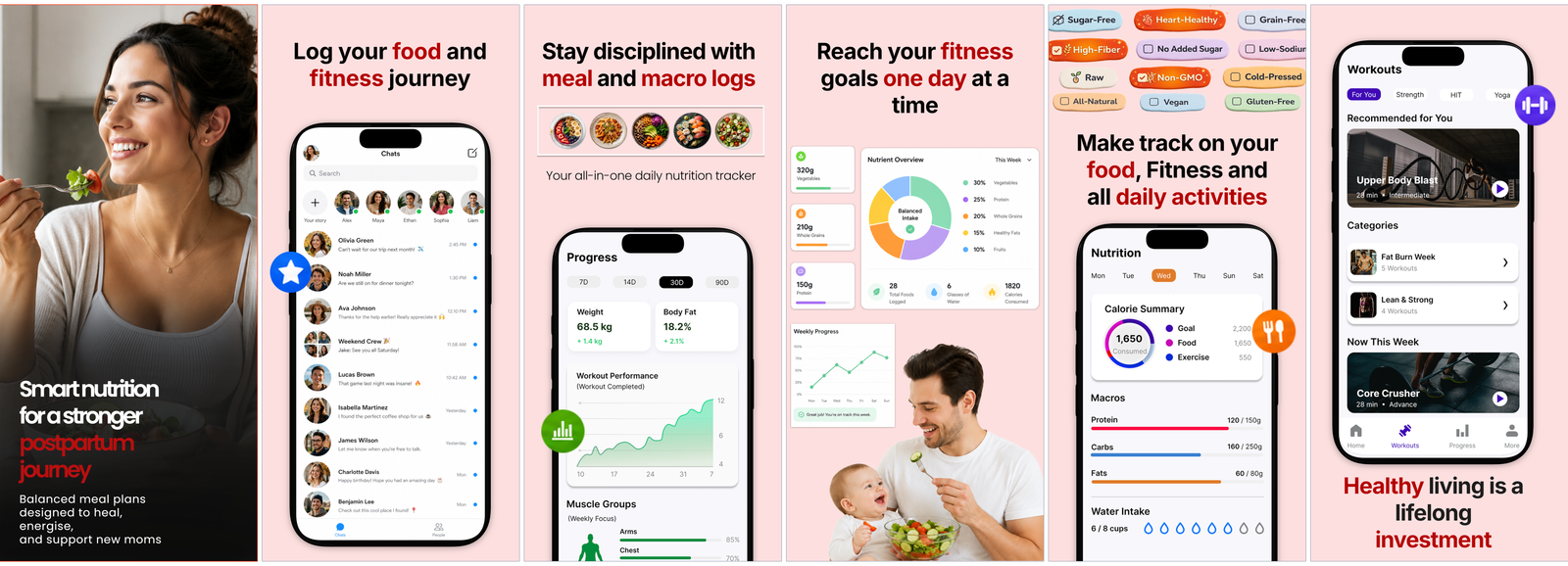
Postpartum Care
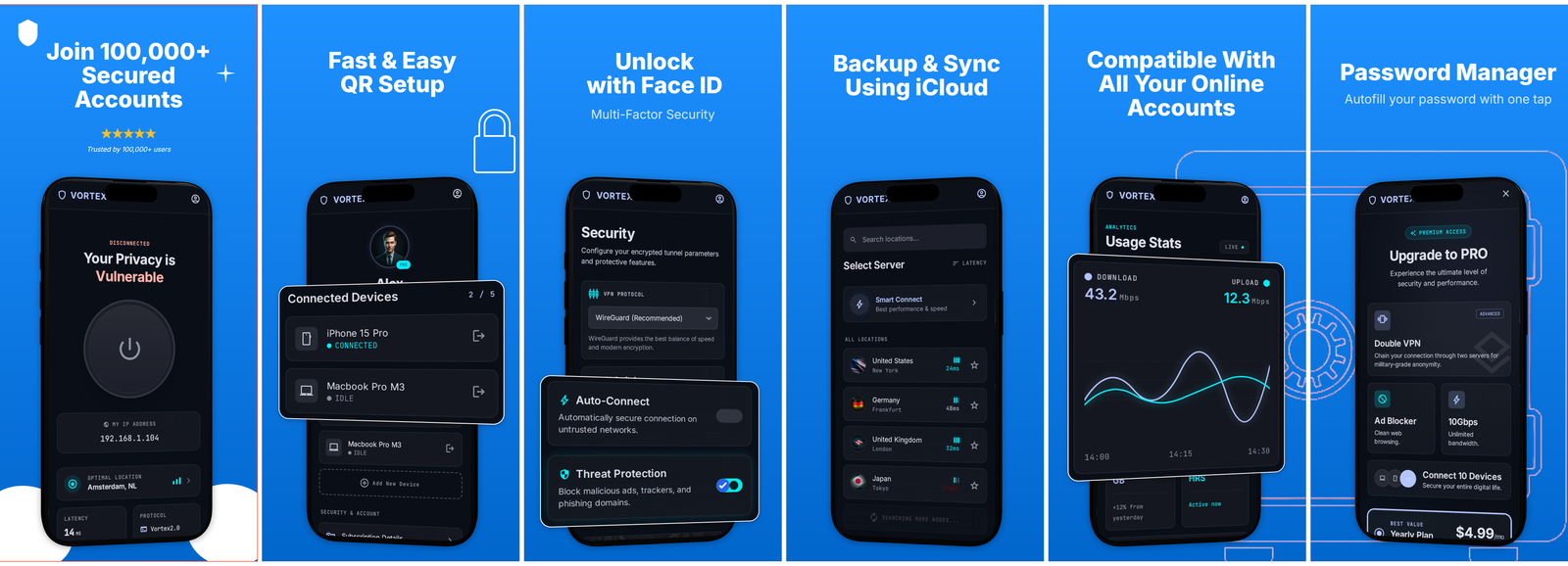
Secure VPN
Free to design. Pay the day you ship.
The work — building, previewing locales, saving — is always free. Standard (€19.99/mo) unlocks export + AI translation. The AI plans (€29.99 & €49.99/mo) add an AI Studio with an AI Designer on top. One month is enough for most launches.
Free
- Full editor — no feature lock
- All 9 device frames
- Multi-panel carousels with spanning layers
- Preview every locale in the editor
- Phone-to-desktop pairing
- Save in your browser — or sign in to sync to the cloud (still free)
- AI translation (Standard)
- PNG / ZIP export (Standard)
Standard — to ship.
- Everything in Free
- One-click AI translation across 39 App Store locales
- Batch ZIP export — every device × every language
- Exact App Store Connect dimensions, named correctly
- Watermark-free output
- Priority support — by a human, not a macro
AI — designer & studio.
- Everything in Standard
- AI Designer — a whole conversion-optimized set from your raw screenshots
- AI Studio — image generation & editing
- Up to 200 image generations / month
AI Pro — for heavy use.
- Everything in AI
- 5× the headroom — up to 1,000 image generations / month
- Priority AI queue
- Early access to new AI features
Common questions.
Why is export behind a paywall?
One Standard export is 'all your devices × all your languages as one ZIP' — for most apps that's the entire App Store Connect submission in a single click. The split: free for designing, €19.99/mo the day you actually publish.
Do I need an account?
No, not to design. Projects save to your browser. If you want to sync between devices or keep a cloud copy, sign in with email — but that's optional, and never required to open the editor.
How accurate are the device frames?
Body proportions are derived from real mm dimensions (e.g., iPhone 16 Pro Max body is 163.0 × 77.6 mm → ratio 2.101). Notches, Dynamic Islands, punch-holes, and home buttons match per device. Bezels are very slightly thicker than the physical models so the frame reads at App Store thumbnail sizes.
What does the AI translation actually use?
Anthropic's Claude. It's not perfect for copy that's heavily branded, so we recommend reviewing each locale in the language switcher before export. Content is only sent when you trigger a translation, isn't used to train models, and mistakes are easy to fix — text is editable per locale.
Can I cancel?
Anytime, in one click via the Lemon Squeezy customer portal. No questions, no email loops. Your designs stay yours; you just lose export and AI translation until you resubscribe.
Try it before you decide anything.
No card, no account, no email. Open the editor, see if it clicks.
Open the editor →